
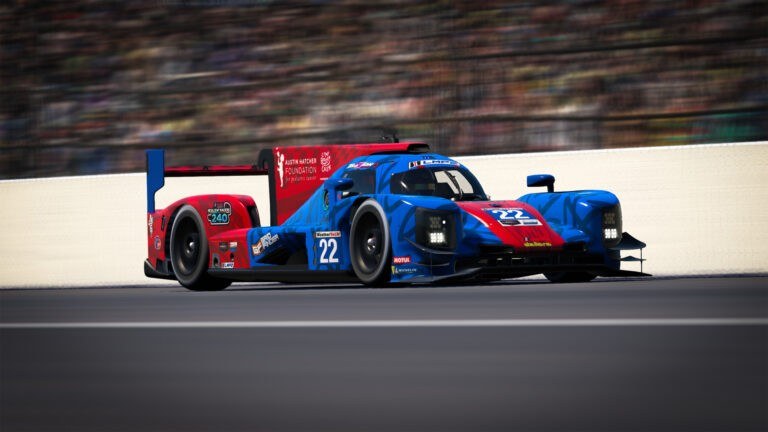
iRacing’s third major content drop of the year is live, and Season 4 2026 brings the usual trifecta: track refreshes, a UI overhaul, and car roster updates. Full patch notes are up via Traxion.GG, and if you’re jumping back in this week, here’s what actually matters once you’re strapped in.
What changed
The track updates are the headline for anyone chasing consistent lap times. Several laser-scanned circuits get revised surface data, updated curbing, and visual detail passes — the kind of change that sounds cosmetic until you realize surface data feeds directly into tire model behavior. A resurfaced apex isn’t just prettier, it’s a different grip level than the one your muscle memory learned last season. If your practice laps feel a half-second off where they used to be, check the patch notes before you start second-guessing your setup.
The UI overhaul is a bigger shift than usual. iRacing has restructured how drivers move through race setup, series browsing, and session flow — meaning the muscle memory you built for getting from the main menu to green flag is partially obsolete. This is the kind of update that trips people up not because it’s hard, but because it’s unfamiliar under time pressure, like five minutes before a fixed-setup Tuesday night hopper fills up.
Car roster changes round things out — upgrades and refinements that shift setup baselines and, in some cases, relative pace between cars in mixed fields. If you race a GT3 or GT4 series where balance-of-performance already runs tight, don’t assume last week’s setup sheet still applies.
Our take
None of this is a surprise — quarterly builds are how iRacing operates, and Season 4 follows the same cadence we covered when Season 3 landed with new cars and Laguna Seca. What’s worth flagging is how much these “minor” seasonal patches actually touch. A UI restructure plus revised track surface data plus car-level tuning changes is, in aggregate, a bigger shift to your on-track feel than most people expect from a routine content drop.
The track surface changes are the ones we take most seriously. iRacing’s tire model is sensitive to the underlying surface mesh, and when a laser-scanned circuit gets a curbing or asphalt update, the car can behave differently at the limit — later trail-braking points, different mid-corner grip, curbs that either punish or reward more than they did last build. We don’t treat that as a footnote. Every point of confidence you lose to an unfamiliar surface is a point of confidence you’re not putting into actually racing.
Why this matters for how we run our rigs
This is exactly the kind of update that turns into a support headache if nobody’s checked it first. A seasonal patch lands, the client updates automatically, and suddenly a customer who just wants to run their Tuesday night race is staring at a UI they don’t recognize, or wondering why their go-to setup suddenly feels loose through a corner that used to be flat. That’s not a hardware problem, but it lands on us the same way one would.
So we don’t wait for that call. Every seasonal iRacing build gets installed and validated on our rigs before it reaches a customer’s simulator — client update, UI navigation, graphics settings, force feedback behavior, all of it checked against the new build before we consider a machine race-ready. If something in the update needs a settings adjustment to run clean, we’ve already made it.
That validation runs on hardware built for exactly this kind of churn. Our turn-key PCs are spec’d with enough headroom that a seasonal content update — new track meshes, updated car models, a UI overhaul — doesn’t touch frame times or load stability. You shouldn’t have to think about whether your rig can handle a patch. That’s the point of turn-key.
Getting back on track after the update
A few practical notes if you’re updating the client yourself this week:
-
Let the full download finish before launching a session. Track and car assets are larger with each seasonal build, and a rushed update is the most common cause of missing textures or UI glitches post-patch.
-
Re-check your setups on updated tracks before qualifying. If a circuit you race regularly is in the track update list, don’t trust a setup you saved last season without at least a shakedown run.
-
Give the new UI ten minutes before race day. Navigate to a series, build a session, and back out a few times in practice. The muscle memory reset is real, and you don’t want to be relearning menu flow with the clock running in a heat race.
-
Watch for relative pace shifts in multi-class or BoP series. If your car got refinements this patch, so did some of your competition — don’t assume the field is where it was three weeks ago.
We’ve been racing iRacing seasonal builds on our own rigs long enough to know the pattern: the patch notes always undersell how much actually changes under the hood. Season 4 2026 is no different — it’s worth ten minutes of attention before you trust your first post-patch lap time.
If you’re not sure whether your current setup is keeping pace with builds like this one, that’s worth a conversation. Book a demo session at our Calgary shop and we’ll walk you through how our builds handle every seasonal update — before it ever becomes your problem.